Important Clarification About “Applying” for PMJAY
Under PMJAY, you don’t apply in the traditional sense — eligibility is pre-determined through SECC 2011 data. What is commonly called “applying” is actually completing your eKYC verification so the system can issue your card.
The only true self-registration path is the Ayushman Vay Vandana flow for senior citizens aged 70+.
Who Needs to Apply for the Ayushman Card?
You need to go through the application/registration process if:
- Your family is listed in SECC 2011 but has not yet completed eKYC
- You are a senior citizen aged 70+ registering under the new Ayushman Vay Vandana Card — launched in October 2024
- You were previously enrolled under Rashtriya Swasthya Bima Yojana (RSBY) and need to migrate to PMJAY
- You have a PMJAY ID but no physical or digital card yet
You do not need to apply if your card status already shows “Approved” on the portal — you can directly proceed to download your card.
Before You Apply — Quick Prerequisites
Have these ready in hand to avoid mid-application drop-offs.
If your mobile is not Aadhaar-linked, the online process will not work — either update at an Aadhaar Seva Kendra first, or apply offline through a CSC (Method 3 below). For the complete documents checklist, see our dedicated guide.
Choose How You Want to Apply
Tap any method below for detailed step-by-step instructions.
Apply via PMJAY Beneficiary Portal
The official primary method — direct registration through the National Health Authority portal. Works on any device with a browser.
Step 1: Visit the Official PMJAY Portal
Open your browser and type beneficiary.nha.gov.in directly into the address bar. Avoid clicking unfamiliar search results — fake portals exist that ask for fees (the real process is 100% free).
Step 2: Login as Beneficiary
- Click the “Beneficiary” tab on the homepage
- Enter your Aadhaar-linked mobile number
- Enter the captcha code and tick the consent box
- Click “Verify” and enter the OTP sent to your mobile
Step 3: Search Your Family Record
Select the following from the dropdowns:
- Scheme: PMJAY
- State: Your state
- Sub-Scheme: PMJAY
- District: Your district
- Search By: Aadhaar Number (most accurate), Family ID, Ration Card, Name, or Location
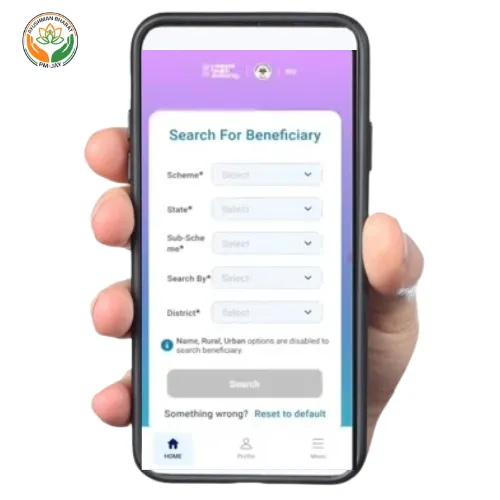
Click “Search”. If your family is in the SECC 2011 database, the member list will appear. If not, see our guide on what to do if you’re not eligible for state-scheme alternatives.
Step 4: Identify Members Needing Application
Each family member’s row shows a Card Status column:
- Approved — Already registered; proceed to download the card
- Pending — Application under review; wait 15 minutes to 24 hours
- Not Generated — eKYC not done. This member needs to complete the application now
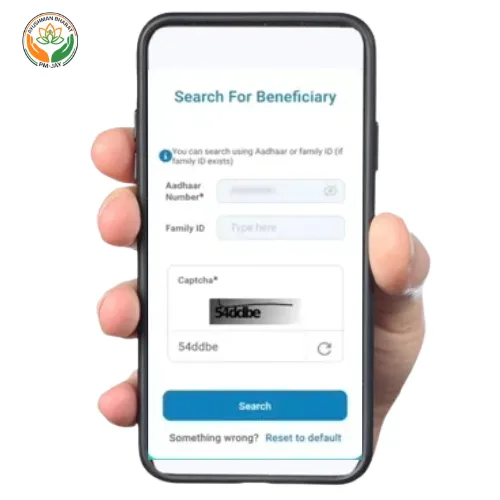
Step 5: Click the eKYC Icon
For each “Not Generated” member, click the eKYC icon next to their name. A new window opens for Aadhaar-based authentication.
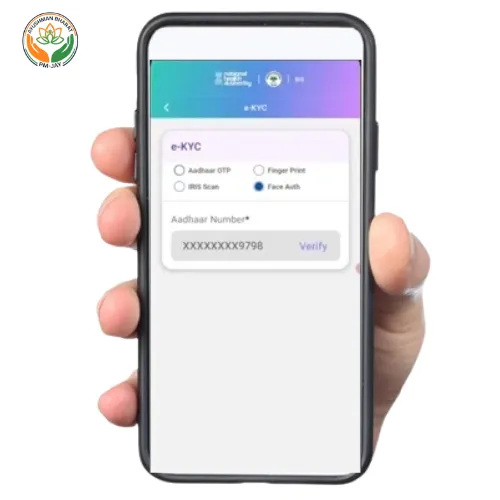
Step 6: Complete Aadhaar Authentication
Choose Aadhaar OTP as the authentication mode (most common). You can also choose biometric if you have a fingerprint scanner at home.
- Enter the 12-digit Aadhaar number
- Tick the consent checkbox
- Click “Verify”
- Enter the OTP received on the Aadhaar-linked mobile
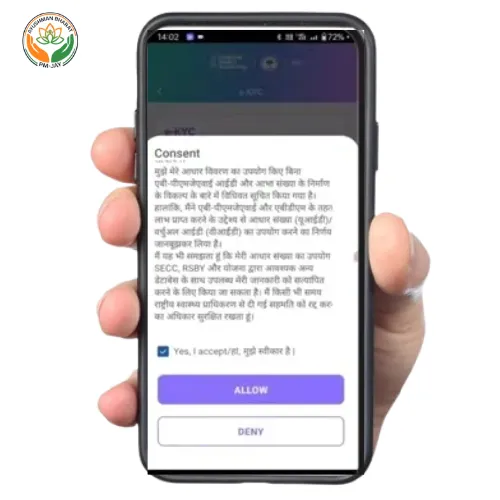
For a deeper walkthrough of this step including all troubleshooting, see our complete Ayushman Card eKYC guide.
Step 7: Verify and Submit Details
After Aadhaar verification, the system shows the member’s photograph and matching score with their Aadhaar record. Confirm:
- Name spelling
- Date of birth
- Photograph
- Mobile number
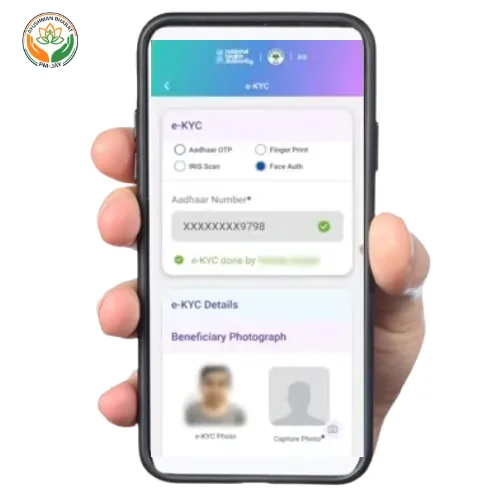
Click “Submit” to finalise the registration.
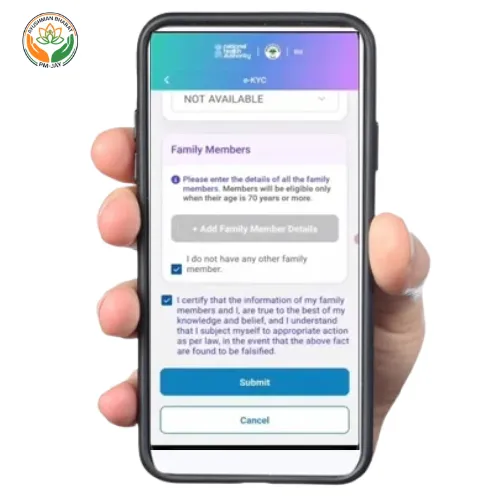
Step 8: Wait for Approval
The system displays “eKYC Completed” — your application is now under review. Approval typically takes:
- 15 minutes to 1 hour for most applications
- Up to 24 hours in some cases requiring manual verification
- A few days if there are mismatched details
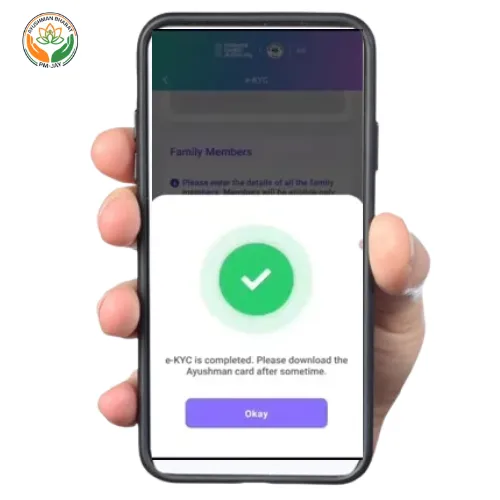
Once approved, you can download your Ayushman Card PDF immediately. To monitor progress, see how to check your application status.
Apply Using the Official Ayushman App
The fastest method for smartphone users. App supports 11+ Indian languages including Hindi, Bengali, Tamil, Telugu, and Marathi.
Step 1: Download the Official App
Open the Play Store or App Store and search “Ayushman Bharat”. Verify the publisher is “National Health Authority” before installing — several fake apps exist with similar names. For a full installation walkthrough, see our Ayushman App Download guide.
Step 2: Login
Open the app, tap “Beneficiary Login”, enter your Aadhaar-linked mobile number and OTP. Select your preferred language.
Step 3: Search Family
- Tap “Search Beneficiary”
- Select State and District
- Choose Search By → Aadhaar Number / Mobile / Family ID
- Tap Search
Step 4: Tap eKYC for Each Member
For each member showing “Not Generated”, tap the eKYC button next to their name.
Step 5: Confirm and Submit
Review the photograph and details that appear after Aadhaar authentication. Tap “Submit eKYC”.
The app shows a confirmation screen: “eKYC Completed Successfully”. Your application is submitted. The card becomes available for download usually within an hour.
Apply Offline at a Common Service Centre (CSC)
For users without Aadhaar-linked mobile or who prefer in-person assistance. India has over 5 lakh CSCs, also known as Jan Seva Kendras.
Step 1: Locate Your Nearest CSC
Use the official CSC locator at locator.csccloud.in to find the nearest centre.
Step 2: Carry Documents
Bring the following:
- Aadhaar Card (original + photocopy) — for every family member being registered
- Ration Card (if available)
- Mobile phone (any number — Aadhaar-linked is not strictly required at CSC since biometric is used)
Step 3: Request Ayushman Card Application
Tell the CSC operator (Village Level Entrepreneur or VLE) that you want to apply for your Ayushman Card. They will check eligibility on the PMJAY portal and proceed if your family is listed.
Step 4: Biometric Aadhaar Authentication
At a CSC, authentication is done via fingerprint biometric scanner — no OTP needed. Place your fingerprint on the device for each family member. This is much faster than OTP-based authentication and rarely fails.
Step 5: Card Generation and Collection
After successful biometric verification, the CSC operator submits your application. In most cases, the card is generated within 30 minutes to a few hours. The operator will print your physical Ayushman Card and hand it to you, and can also send the PDF to your mobile.
Note: While the Ayushman Card itself is 100% free, CSC operators typically charge a small service fee of ₹20–₹50 for printing and processing — this is for their work, not for the card. Always ask for a printed receipt.
Apply at an Empanelled Hospital (PMAM Desk)
Most PMJAY-empanelled hospitals have a Pradhan Mantri Arogya Mitra (PMAM) desk that registers walk-in beneficiaries on the spot.
When to Use This Method?
This is ideal when:
- A family member needs urgent hospitalisation and doesn’t yet have a card
- You’re already visiting a hospital for treatment
- You want in-person assistance from a trained PMJAY representative
Steps at the Hospital
- Visit the PMAM desk (Ayushman Mitra desk) at any PMJAY-empanelled hospital near you
- Carry your Aadhaar card (and ration card if available)
- The Ayushman Mitra will check your eligibility on the spot
- If eligible, biometric Aadhaar authentication is done at the desk
- The card is generated immediately and can be used for the current admission
The PMAM service is completely free — no charges for registration at hospitals. This is especially valuable for emergency situations where there’s no time for portal-based applications.
Apply for Ayushman Vay Vandana Card (70+ Seniors)
Launched October 2024. Every Indian citizen aged 70+ qualifies automatically. The only true self-registration path under PMJAY.
Step 1: Visit the Portal
Visit beneficiary.nha.gov.in and click “Beneficiary”.
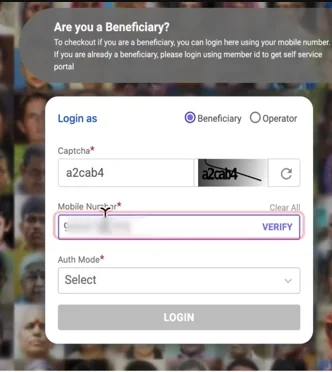
Step 2: Login With Senior’s Aadhaar-Linked Mobile
Enter the senior citizen’s Aadhaar-linked mobile number, captcha, and OTP. If the senior’s mobile is not Aadhaar-linked, a family member can apply on their behalf at a CSC or empanelled hospital using biometric authentication.
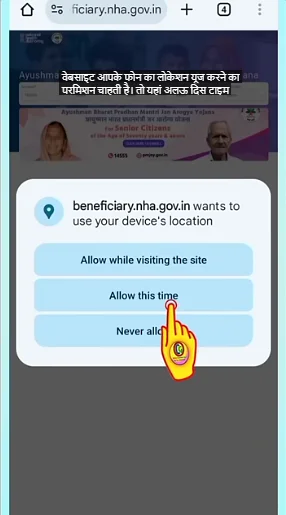
Step 3: Switch Scheme to Vay Vandana
In the dropdown, select:
- Scheme: PMJAY-Vay Vandana (this is critical — selecting plain PMJAY won’t show the 70+ option)
- State and District
- Search By: Aadhaar Number
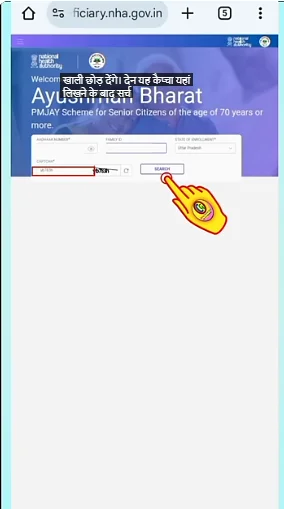
Step 4: Enter Aadhaar and Search
The system will detect the senior citizen’s age via Aadhaar. If they are 70 or above, the registration option becomes available — no SECC check required.
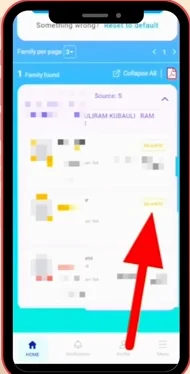
Step 5: Complete Aadhaar OTP eKYC
Authenticate with Aadhaar OTP. The senior is now registered under Vay Vandana.
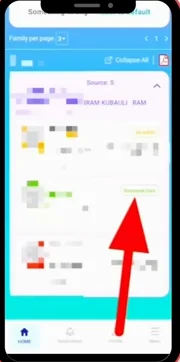
Step 6: Download the Vay Vandana Card
After approval (usually under 1 hour), the Vay Vandana Card PDF becomes available for download. This card provides an additional ₹5 lakh top-up if the family already has a PMJAY card, or a standalone ₹5 lakh if they don’t.
Full details on coverage, eligibility, and additional perks are in our Ayushman Vay Vandana Card 70+ guide.
Approval Timeline — What to Expect
📊 Track approval anytime: Log back into the portal and view your status. The status moves from “Pending” → “Approved” automatically. See our status check guide for full details.
Documents Required to Apply for Ayushman Card
Keep the following ready for online or offline application:
- Aadhaar Card — mandatory for each family member being registered
- Aadhaar-linked mobile number for OTP verification (online methods only)
- Ration Card — useful for SECC-based search (especially in rural areas)
- PMJAY Family ID — if previously generated
- RSBY URN — if you were enrolled in the old RSBY scheme
- Passport-size photograph — only for CSC offline application
For senior citizens (70+) under Vay Vandana, only Aadhaar is required — no income proof, no SECC check, no other documents. See the complete Ayushman Card documents checklist for state-specific variations.
Common Application Errors & Quick Fixes
Toll-free · 11+ Indian languages · Monday to Saturday
Frequently Asked Questions
How long does it take to apply for the Ayushman Card online?+
Can I apply for the Ayushman Card without an Aadhaar card?+
Is there any fee to apply for the Ayushman Card?+
Can I apply if my family is not in SECC 2011?+
How can I apply for the Ayushman Card for my elderly parents?+
Can I apply for the Ayushman Card from another state?+
What if I made a mistake during the application?+
How do I apply for multiple family members at once?+
Official sources: pmjay.gov.in · beneficiary.nha.gov.in · Helpline: 14555